
Warehouse Pick Rate: How to Calculate It and Raise It
Warehouse pick rate is the amount of picking work finished per productive hour: units, order lines, orders or cases divided by the hours spent picking. A good number depends on how you pick and what you pick, so the useful question is how your rate compares with your own baseline and with your accuracy. Most gains come from shorter walking paths, smarter slot locations and a picking method that fits your order profile. If you would rather not run that operation yourself, we handle storage, order processing and fulfillment at Usiship, so your team does not carry the labor and layout problems.
TL;DR
- Pick rate = completed picks ÷ productive picking hours. Decide first whether a “pick” is a unit, a line, an order or a case, and never mix them.
- Typical manual picking lands around 60 to 100 picks per hour. E-commerce mixed picking often targets 80 to 120 units per hour. Goods-to-person systems go far higher.
- The biggest lever is travel. Cutting walking distance per line typically lifts the rate by 20 to 40% according to one industry guide.
- Report pick rate beside pick accuracy. Speed that produces wrong shipments costs more than it saves.
- Slotting, layout and picking method decide your ceiling. Staffing and incentives only move you toward it.
Table of Contents
- What pick rate actually measures
- How to calculate pick rate
- What is a good pick rate?
- Where the time really goes
- How to improve pick rate
- Raise the rate without hurting accuracy or people
- A worked example
- Why outsourcing picking can beat tuning your own floor
- Put your inventory where picking is already organized
- FAQ
- Sources
What pick rate actually measures
Pick rate answers one question: how fast is the warehouse picking? It counts completed picking work inside a defined period, usually an hour. Accuracy answers a different question: did the right product, in the right quantity, go to the right order? Pick accuracy is accurate picks divided by total picks, times 100. If 9,920 of 10,000 lines are correct, accuracy is 99.2%.
You need both numbers. A picker who raced through a shift and sent out wrong items has a great rate and a bad day. The two belong on the same report.
For an ecommerce brand, a retailer or a manufacturer shipping from a warehouse, pick rate sets labor cost per order. Every order you ship carries a picking cost, and the rate decides how many orders a given payroll can handle before you add people or shifts.
How to calculate pick rate
The formula is simple:
Pick rate = total work completed ÷ productive hours spent picking
The trouble sits in the two inputs. Here is how to get each one right.
Step 1: Choose your unit
The unit can be units, order lines, orders, cases or pick actions. AWS’s supply chain reference defines separate averages for units, lines and orders per hour, and they are three different numbers. A three-line order with seven pieces is one order, three lines and seven units, as MFG Calcs points out. Pick one unit, write it down and use it everywhere.
For most ecommerce work, lines per hour is the cleanest choice because it reflects how many locations a picker visits. Units per hour flatters orders with high quantities per line.
Step 2: Count productive hours, not paid hours
Paid hours include breaks, meetings, cleanup and training. Productive picking hours do not. In MFG Calcs’ worked example, a shift of 8 paid hours minus two 15-minute breaks and 30 minutes of non-pick tasks leaves 7.5 productive hours. The same guide warns that using paid hours instead of productive hours inflates rates by the 6 to 8% lost to breaks and indirect tasks. Written the right way around: that is a distortion of the true rate, so decide the rule once and apply it to every picker and every period.
Step 3: Do the division
Take that example: 480 lines picked across 7.5 productive hours gives 64 lines per hour. Then reconcile. Multiply 64 by 7.5 and you should land back on 480 lines. If it does not, a unit or an hour went missing.
Step 4: Measure over enough volume
Three ways to measure show up in practice:
- Full-shift measurement: total picks for the shift, breaks excluded. Simple and repeatable.
- Time-study sampling: time a representative set of orders with a stopwatch. Good for finding where minutes go.
- Component timing: break a pick into setup, travel, grip and idle, so that picks per hour equals 60 minutes divided by average time per pick. PULPO’s guide describes all three.
When you combine days or workers, add all completed units and divide by all counted hours. Averaging daily rates gives a busy day with few hours the same weight as a long one.
A warehouse management system (WMS) or scanner logs with timestamps will do the math for you automatically. Without them, a clean spreadsheet with units, hours and an exceptions column works for a small operation.
What is a good pick rate?
There is no single answer, and anyone quoting one number is skipping the context. Published ranges vary because operations differ:
| Picking model | Typical range | Notes |
|---|---|---|
| Simple cart picking | 60 to 80 picks per hour | Reported as an external benchmark by Atom Moving |
| Manual picking, average warehouse | 60 to 100 picks per hour | Common cited range for manual operations |
| E-commerce mixed picking | 80 to 120 units per hour | Optimized high-velocity zones can exceed 150 |
| Goods-to-person systems | 300 to 500 picks per hour | Product travels to the picker, so walking nearly disappears |
The goods-to-person figure comes from the same Atom Moving guide as the cart figure. Treat all of these as orientation, not targets. Racklify’s encyclopedia entry cautions against comparing raw pick-rate numbers across different picking models without accounting for order profile, units per pick, travel distance and system support.
Here is why. A warehouse that ships single-unit orders of small parts will post a higher rate than one picking heavy cartons off pallet racks. Neither is better run. Compare yourself with your own history, split by zone and by order type, and use outside ranges only to sense-check whether you are in the right neighborhood.
Two more numbers help you keep speed honest. Yale’s distribution center white paper says best-in-class operations pick more than 99.68% of orders correctly. Another 2026 guide puts best-in-class picking accuracy above 99.7%. Whatever rate you set, your accuracy should sit near those levels.
Where the time really goes
Most people picture picking as grabbing an item. Time studies tell a different story. Atom Moving’s engineering guidance says time-and-motion studies often show indirect tasks consume more time than the physical pick itself. Those tasks are walking, searching, confirming and handling exceptions.
That is the key to raising the rate. Hands are rarely the bottleneck. Legs and eyes are. Split a sample of picks into these elements:
- Travel: walking or driving between locations.
- Search: finding the right bin, label or SKU once there.
- Pick: the physical reach, grip and lift.
- Confirm: scanning and verification.
- Exceptions: shorts, damaged goods, relabeling, questions to a supervisor.
If travel is 50% of pick time, a 10% shorter path beats any amount of urging people to move faster.
How to improve pick rate
Shorten the path with slotting
Slotting means deciding which product lives in which location. Put your fastest sellers where they cost the least walking. The standard method is ABC analysis: A items are the few SKUs that drive most picks, and they get the shortest paths. Our guides on warehouse slotting strategies and ABC inventory analysis walk through how to choose and maintain a scheme.
Height matters too. Place high-velocity items in the golden zone, between waist and shoulder height, close to packing. Heavy or bulky SKUs sit low, and slow movers go up high or farther away. Re-slot as demand shifts, since a seasonal item that was an A in December is a C by March.
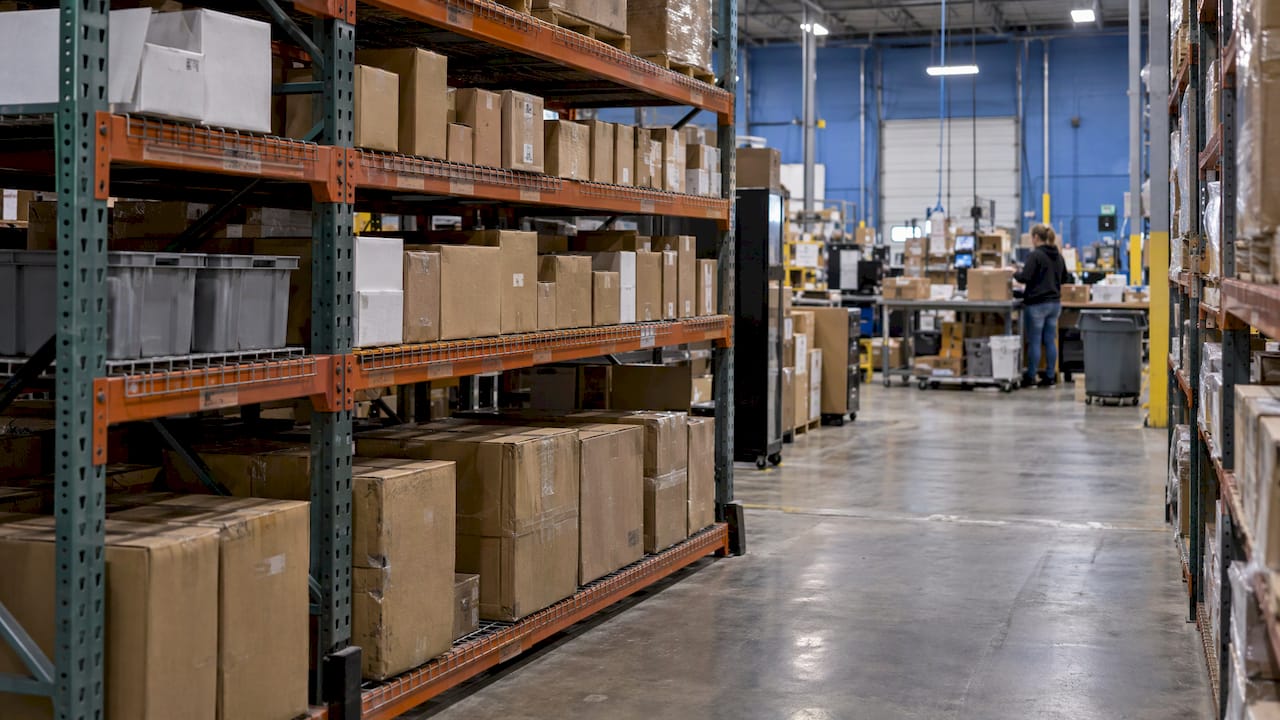
Fix the layout, one zone at a time
Start by mapping current pick paths and putting a figure on travel time as a share of total pick time. Atom Moving reports that facilities that reduced average walking distance per line typically raised pick rate by 20 to 40%. Yale’s white paper recommends minimizing picker travel time, limiting the number of aisles per picker and using ride-on pallet trucks instead of walk-behind jacks over longer distances.
Do not redesign the building in one move. Pilot a single zone, measure before and after with the same rule for productive hours, and then expand. Our piece on warehouse layout design covers the measure-first, pilot-one-zone approach.
Inbound flow matters as well. When replenishment lags, pickers wait or hunt for stock, and that lowers the rate however good the layout is. Steady, predictable supply into the building keeps pick faces full, which is the same reason manufacturers look at how to scale production without supply delays. Dock timing helps on your side of the wall: see dock scheduling best practices.
Match the picking method to the order profile
- Single-order picking: one picker, one order. Fits small, urgent orders and low volume.
- Batch or cluster picking: one trip serves several orders at once. Fits high volumes of small lines, common in ecommerce.
- Zone picking: each picker stays in an area and orders pass between zones. Fits large facilities where walking whole buildings is wasteful.
If your average order is 1.3 lines, batch picking will usually beat single-order picking, because the walk is shared. If you ship few, large B2B orders, single-order picking may already be right.
Reduce search and confirmation time
Clear, consistent bin labels, scanning at the location and a pick list sorted in walking sequence take out the seconds that pile up. The same instinct applies to packing: a structured pick and pack process cuts errors and, with them, the rework that drags down the rate.
Train, measure, coach
Show each picker their own rate and accuracy together, weekly, and ask what slowed them down. Interruptions, blocked aisles and missing stock are system problems and usually surface in that conversation. Use the data to fix the process before anyone is told to speed up.
Raise the rate without hurting accuracy or people
Rewarding speed alone is dangerous. Modulus 365 warns that teams paid only for pace may rush location checks, skip barcode scans and create stock discrepancies. Each wrong pick triggers a return, a reship and an unhappy customer, which is far more expensive than a few seconds of scanning.
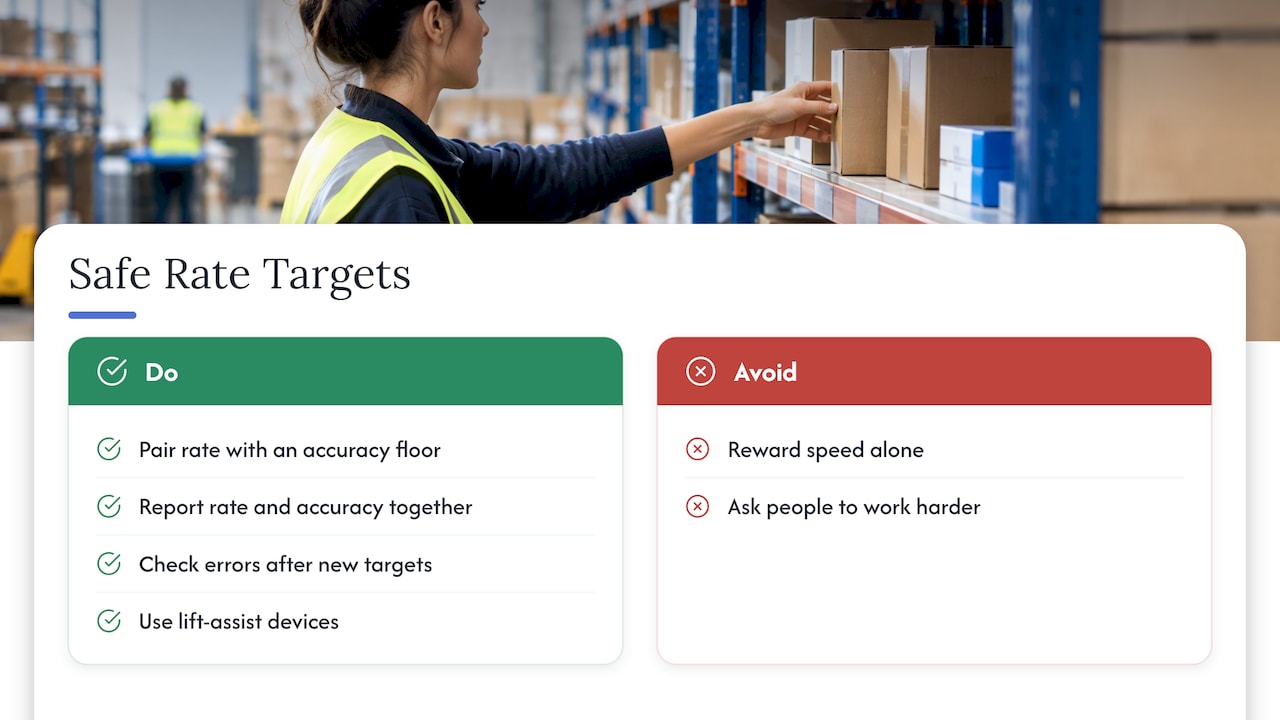
Set your targets in pairs: a rate and an accuracy floor. Report them together. Pay attention to the error rate in the week after any new incentive or target.
Ergonomics belongs in the same conversation. OSHA notes that traditional order picking accounts for a large number of musculoskeletal disorders, and its guidance favors engineering controls, such as lift-assist devices, over asking people to work harder. Slotting heavy items at waist height and cutting long reaches is good for the rate and for the people doing the work. If your picking injuries or ergonomic concerns are rising, bring in your safety lead or a qualified ergonomics professional.
A worked example
Say a small ecommerce brand ships 200 orders a day with an average of 2.2 lines, so 440 lines. Two pickers work 7.5 productive hours each, for 15 hours total. The rate is 440 ÷ 15, or about 29 lines per hour per picker. That is low next to the ranges above.
A time study shows pickers spend roughly half their time walking, because the top 20 sellers sit in the back corner. After moving those SKUs next to packing and switching to batches of five orders, travel drops sharply. If the rate climbs to 40 lines per hour, the same 440 lines need 11 hours instead of 15. That is four labor hours saved a day, with accuracy tracked alongside to confirm nothing slipped. The figures are illustrative, but the sequence is the one to follow: measure, find the dominant time element, change one thing, measure again.
Why outsourcing picking can beat tuning your own floor
Pick rate is a labor, layout and systems problem all at once. Improving it means tracking productive hours, redesigning slots, buying scanners or software, hiring and training through peaks, and keeping accuracy high while volume swings. For a small or mid-sized business, that is a second business inside your business.
With outsourced fulfillment you pay for the work instead of building the operation. Our storage and handling pricing is published: bins are $5 to $6 per month per bin, pallets are $17 to $19 per month per pallet, and additional services are $37 per hour. Receiving, order processing, additional picks, returns and packaging are priced on our pricing page. Paying per bin or pallet means your storage cost follows your inventory, not a lease.
Our view
A pick rate is only as good as the system behind it. In our experience of how logistics works, speed comes from putting transportation, warehousing and fulfillment on one platform, where inventory locations, inbound freight and outbound orders are visible together. That is what we built Usiship around: real-time tracking, transparent pricing and personalized 24/7 service.
When a business tries to lift pick rate alone, it usually tunes one link. Better slotting helps, but if inbound freight arrives late or unlabeled, pickers still wait. When storage, fulfillment and freight forwarding sit with one provider, those handoffs shrink, and the numbers you track mean what you think they mean.
Our advice: measure your own baseline with a clear rule for productive hours, pair rate with accuracy, and pilot changes in one zone. If you would rather spend your time on product and customers than on aisles and scan guns, that is exactly the work we take on.
Akbar
Put your inventory where picking is already organized
Usiship is a U.S. logistics provider that combines freight forwarding, warehousing, fulfillment, customs clearance, FBA prep and last-mile delivery, serving businesses in all 50 states. If pick rate, labor and layout are eating into your margins, our 3PL fulfillment services and warehousing and fulfillment solutions move that work off your floor.
See the published storage and handling rates on the pricing page, or start from our homepage to tell us what you ship.
FAQ
What is the pick rate in warehousing?
It is the amount of picking work completed per productive hour, such as lines, units, orders or cases. You calculate it by dividing total completed work by productive picking hours. Always state which unit you use, because lines per hour and units per hour are different numbers.
What is a good pick rate?
It depends on the picking model. Manual picking commonly runs 60 to 100 picks per hour, e-commerce mixed picking often targets 80 to 120 units per hour, and goods-to-person systems are reported at 300 to 500. Compare yourself with your own history by zone and order type first, and keep accuracy near 99.7% or better alongside it.
How is pick rate calculated?
Divide the work completed by the productive hours spent picking. For example, 480 lines in 7.5 productive hours is 64 lines per hour. Exclude breaks and non-pick tasks, and check your result by multiplying the rate by the hours to get back to the starting count.
How do I improve pick rate fastest?
Start with travel. Move your highest-velocity SKUs to the shortest paths and the golden zone, then choose batch or zone picking if your orders are small and numerous. Re-measure after each change with the same hour rules, and track accuracy so speed does not hide errors.
Sources
- Pick Rate vs Pick Accuracy: Why Speed Alone Is a Dangerous KPI, Modulus 365
- Distribution and warehousing, AWS Prescriptive Guidance
- Warehouse Labor & Pick Rate Calculations, MFG Calcs
- Warehouse Picks per Hour: Top Tips, PULPO
- Warehouse Pick Rate KPIs, Atom Moving
- Pick Rate, Warehouse & 3PL Logistics Encyclopedia, Racklify
- Benchmarking and improving distribution center metrics, Yale
- Ergonomics: Solutions to Control Hazards, OSHA