
Ecommerce Inventory Management: A Practical Operations Guide
Ecommerce inventory management is the practice of tracking, controlling, and forecasting the stock your online store buys, holds, and sells so orders ship accurately and cash isn’t trapped in the wrong products. Done well, it reduces stockouts, cuts carrying costs, and protects revenue that would otherwise leak out through canceled orders and overselling. If you’re still running this off spreadsheets, an important move is shifting to a perpetual, real-time system that syncs stock across every channel from one source of truth.
That shift alone changes how your business operates:
- Stock counts update the instant a sale, return, or receipt happens, instead of once a week or once a month.
- Every sales channel, warehouse, and fulfillment partner reads from the same number, which kills phantom inventory.
- Reorder decisions get made on live data instead of a guess based on last month’s spreadsheet export.
Everything below builds on that foundation, from the core system types to the KPIs you should be watching by next Monday.
Key Takeaways
Ecommerce inventory management works best when a perpetual, real-time system replaces manual counts and every sales channel reads from one synchronized source of truth.
| Point | Details |
|---|---|
| Go perpetual first | Real-time tracking beats periodic counts once you run multiple channels or locations. |
| Set data-driven reorder points | Use safety stock, min-max thresholds, and lead-time formulas instead of gut-feel reordering. |
| Track four core KPIs | Monitor fill rate, stockout rate, turnover, and days on hand weekly or monthly. |
| Roll out in phases | Clean data first, automate your A-tier SKUs next, then scale forecasting and routing. |
| Fix data before automating | Automation on bad data just produces wrong reorder decisions faster. |
| Consider an integrated partner | Usiship pairs warehousing, omnichannel fulfillment, and FBA prep to cut implementation time. |
Table of Contents
- What Does Ecommerce Inventory Management Actually Cover?
- The Business Case: Why Inventory Accuracy Pays for Itself
- What Inventory Techniques Should You Actually Use?
- Choosing Between IMS, WMS, OMS, and ERP
- How Do You Prevent Overselling Across Sales Channels?
- Which KPIs Should You Track First?
- How to Roll Out a New Inventory System Without Disrupting Sales
- Mistakes That Quietly Drain Your Inventory Accuracy
- How an Integrated Logistics Partner Cuts Implementation Time
- Where Does Your Inventory Actually Go Missing?
- Planning Inventory Around Seasonal Swings
- How Automation and AI Are Changing Inventory Decisions
- Best Practices for Auditing and Reconciling Inventory
- What Most Sellers Get Wrong About “Good Enough” Data
- Ready to Move From Spreadsheets to a Real Fulfillment Partner?
- Frequently Asked Questions
- Sources
What Does Ecommerce Inventory Management Actually Cover?
Inventory isn’t just the boxes sitting on a shelf. For most online sellers it includes finished goods ready to ship, components and raw materials waiting to become a kit, bundles assembled from multiple SKUs, returned items pending inspection, and consignment stock you don’t technically own yet but still have to track. Miss any one of these categories in your system and your “available” number is fiction.
The bigger fork in the road is choosing between periodic and perpetual inventory control.
- Periodic systems count stock on a schedule, weekly, monthly, or at quarter-end, and update records only after a physical count. They’re cheap, simple, and fine for a store running a few hundred SKUs through one channel.
- Perpetual systems update stock counts automatically with every transaction: a sale, a return, a receiving event, a transfer between warehouses. Counts stay current in real time rather than in retrospect.
The trade-off is straightforward. Periodic inventory works when your catalog is small and your sales velocity is low enough that a stale number for a few days doesn’t cost you anything. It becomes a liability the moment you add a second sales channel, a second warehouse, or a product catalog that moves fast enough that a week-old count is already wrong. According to ASCM’s breakdown of inventory control system types, perpetual systems suit high-volume, multi-location operations but come with higher software and training costs, while periodic systems remain a reasonable fit for smaller, simpler catalogs.
Here’s the number that should settle the debate for most growing sellers: companies running advanced warehouse management systems with perpetual tracking report up to a 25% improvement in inventory accuracy compared with periodic or manual counting. That gap compounds. Every inaccurate count feeds a bad reorder decision, which feeds a stockout or an overstock, which feeds either lost sales or a markdown.
The tell that you’ve outgrown periodic counting isn’t a specific SKU count. It’s the pattern: your team is manually reconciling numbers across a spreadsheet and two sales channels, and someone finds a discrepancy every week that takes an hour to trace.
The Business Case: Why Inventory Accuracy Pays for Itself
Good inventory management shows up on three separate lines of your income statement, not just in fewer headaches for your warehouse team.
Revenue protection is the most direct impact. When your stock counts are wrong, you either oversell (leading to canceled orders, refunds, and marketplace penalties) or understock (leading to missed sales you never even see in your reports). Real-time visibility across channels can cut stockouts by as much as 80%, which matters even more on marketplaces where a canceled order dings your seller rating and your search ranking along with it.
Cost control comes next. Accurate demand data means you buy closer to what you’ll actually sell, which shrinks the cash tied up in slow-moving stock and cuts warehouse space spent storing it. Less obsolete inventory means fewer end-of-season markdowns eating your margin.
Customer experience ties the two together. Orders that ship from accurate stock, packed correctly the first time, arrive faster and get returned less often.
A few concrete signals to watch as you tighten this up:
- Fewer canceled orders due to “out of stock after purchase” errors.
- Lower average days-on-hand for your top revenue-generating SKUs.
- A shrinking gap between what your system says is in stock and what a physical count finds.
The businesses that treat inventory accuracy as a finance problem, not just a warehouse problem, tend to fix it faster. It shows up on the balance sheet either way.
What Inventory Techniques Should You Actually Use?
Most of the vocabulary in inventory management, safety stock, min-max, EOQ, sounds more academic than it is. Each one solves a specific, recurring decision: how much to keep on hand, when to reorder, and how much to order at once. You don’t need a supply chain degree to apply them; you need a spreadsheet or a system that will do the math for you.
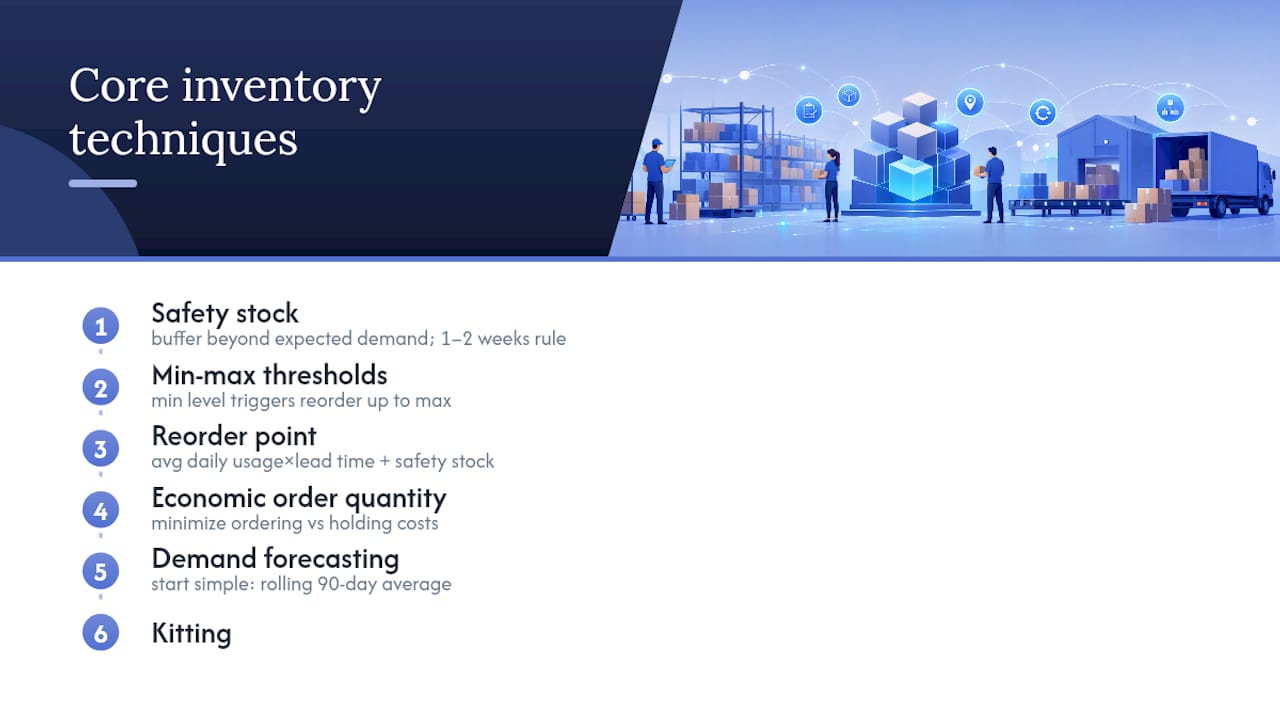
1. Safety stock. This is the buffer you keep beyond expected demand to absorb a late shipment or an unexpected sales spike. A simple starting formula: safety stock equals your average daily sales multiplied by your maximum lead time in days, minus average daily sales multiplied by average lead time in days. If that feels like too much math on day one, a rougher rule of thumb works fine at small scale: keep 1 to 2 weeks of average sales as a buffer on your top sellers, and adjust up for anything with a volatile or overseas supplier.
2. Min-max thresholds. Set a minimum stock level that triggers a reorder and a maximum level that caps how much you order. When stock hits the minimum, you automatically generate a purchase order sized to bring you back to the maximum. This is the mechanism most inventory software uses to automate replenishment, and it’s the technique Amazon Business recommends specifically for balancing product availability against holding costs.
3. Reorder points. Closely related to min-max, your reorder point is the specific stock level at which you place a new order, calculated as average daily usage multiplied by lead time in days, plus your safety stock. This is the number that should trigger an alert or an automated purchase order in your system, not a manual glance at a spreadsheet.
4. Economic order quantity (EOQ). EOQ answers a different question: not when to reorder, but how much to order at once to minimize the combined cost of ordering too often (higher shipping and handling fees) versus ordering too much (higher storage and carrying costs). It matters most for products with high, steady demand and meaningful per-order costs, think a supplier that charges a flat fee per purchase order regardless of size. For lower-volume or highly seasonal SKUs, EOQ’s assumptions break down and simpler rules work better.
5. Demand forecasting. Your forecast is only as good as its inputs: historical sales, current lead times, seasonality, and any planned promotions. Start simple. A rolling 90-day average adjusted for known seasonal spikes will outperform a gut-feel guess. Retail sales data consistently shows sharp holiday-season spikes that should push your safety stock and reorder points higher well before the rush, not during it. Layer in promotion calendars next: if marketing plans a 20%-off flash sale, that SKU’s forecast needs a manual bump no algorithm will catch on its own.
6. Kitting and bundling. If you sell bundles, gift sets, or multi-part products, your system needs to decrement each component’s stock count when a kit sells, not just the kit’s own SKU. Get this wrong and you’ll oversell a component that’s actually running low across five different bundles simultaneously.
7. Cycle counting. Instead of shutting down operations for one massive annual count, cycle counting rotates through a portion of your catalog on a regular schedule, daily, weekly, or monthly depending on SKU velocity. High-velocity A-tier products might get counted weekly; slow-moving C-tier products might only need a quarterly check.
Pro Tip: Don’t build your first reorder points around your best-case lead time. Build them around your worst realistic lead time from the last six months. One late container shipment will cost you more in stockouts than a few extra weeks of carrying cost ever will.
Batch tracking deserves a mention if you sell anything perishable, regulated, or subject to recalls: cosmetics, supplements, food. Tracking by batch or lot number lets you trace a defect back to a specific production run instead of pulling your entire catalog off shelves.
Choosing Between IMS, WMS, OMS, and ERP
The acronyms in inventory software get confusing fast, so here’s the plain-language version of what each system actually does.
An inventory management system (IMS) tracks what you have and where it’s located across warehouses, stores, and channels. A warehouse management system (WMS) governs what happens physically inside a warehouse: picking routes, packing stations, bin locations, receiving workflows. An order management system (OMS) handles what happens to an order after a customer clicks buy: routing it to the right fulfillment location, splitting it across warehouses if needed, and tracking its status through delivery. An ERP sits above all three, tying inventory and orders to accounting, purchasing, and broader financial reporting.
Small operations often run all of this through one lightweight tool. Growing ones eventually need at least two of these systems talking to each other, and that’s where most implementations succeed or fail.
The failure mode is predictable: a store adds a second sales channel, plugs it into a separate tool, and now has two systems that don’t talk to each other. One oversells because it doesn’t know the other just sold the last unit. Industry guidance on inventory control is blunt about the fix, calling a synced single source of truth essential once you’re selling across more than one channel, because fragmented systems are exactly what produces phantom inventory.
The syncs that matter most, in rough priority order:
- Inventory to sales channels, so stock counts update the instant something sells anywhere.
- Orders to shipping, so a paid order automatically generates a shipping label and tracking number without manual entry.
- Returns to inventory, so a returned item gets back into sellable stock (or flagged for inspection) without sitting in limbo.
- Purchase orders to receiving, so incoming stock updates counts the moment it’s checked in, not days later when someone gets around to data entry.
When you’re evaluating which system to add next, judge it against four practical criteria rather than a features list a salesperson hands you: does it integrate natively with your existing sales channels and shipping carriers, does it handle your current SKU volume without a costly upgrade tier, can you configure automation rules (reorder triggers, low-stock alerts) without a developer, and how many weeks of onboarding does the vendor actually quote for a catalog your size. That last one gets underestimated constantly. A system that takes twelve weeks to implement isn’t free just because the monthly fee is low.
How Do You Prevent Overselling Across Sales Channels?
Selling on your own website, Amazon, Walmart Marketplace, and maybe a retail storefront simultaneously creates a coordination problem no spreadsheet can solve at scale. Each channel thinks it has exclusive access to your stock unless something actively tells it otherwise. Multichannel guidance increasingly frames this as a shift from reactive tracking to proactive orchestration, meaning your systems should route and adjust automatically rather than waiting for a human to notice a problem.
Order routing is where this gets concrete. A few common patterns:
- Closest-fulfillment routing sends each order to whichever warehouse gets it to the customer fastest and cheapest, based on live inventory and shipping zones.
- Split-order routing breaks a single order across multiple warehouses when no single location has every item in stock, trading a slightly higher shipping cost for a faster overall delivery.
- Marketplace-specific rules account for the fact that Amazon, for instance, has its own fulfillment requirements and timing rules that differ from your direct-to-consumer site.
The distributed-versus-centralized inventory question comes down to your customer geography and order volume. If your customers cluster in a few regions, distributing inventory across two or three strategically placed warehouses cuts shipping time and cost. If your volume doesn’t yet justify multiple locations, centralizing keeps your operation simpler and your counts easier to trust.
This is also where the in-house-versus-3PL decision surfaces. Running your own warehouse gives you direct control over pick and pack quality, but it also means you own every staffing, equipment, and peak-season labor problem that comes with it. A third-party logistics partner absorbs that operational load and often brings existing integrations to major sales channels, which shortens the time it takes to get multichannel visibility working correctly.
Which KPIs Should You Track First?
Four numbers tell you almost everything you need to know about the health of your inventory operation. Track these before you track anything more exotic.
| KPI | Formula | What It Signals |
|---|---|---|
| Fill rate | Orders shipped complete ÷ total orders placed | A falling fill rate means stockouts are hitting real orders |
| Stockout rate | SKUs out of stock ÷ total active SKUs | Rising rate signals reorder points are set too low or too late |
| Inventory turnover | Cost of goods sold ÷ average inventory value | Low turnover means cash is sitting in slow-moving stock |
| Days on hand | Average inventory value ÷ COGS | High days on hand often pairs with low turnover and rising carrying costs |
Turnover trending downward over consecutive quarters is an early warning that you’re overbuying relative to actual demand, well before it shows up as a cash flow problem.
Landed cost variance, the gap between what you budgeted per unit (product cost plus freight, duties, and handling) and what you actually paid, deserves a spot on the same dashboard. A widening variance often traces back to freight rate changes or customs delays that your purchasing team hasn’t accounted for yet.
Check fill rate and stockout rate weekly at minimum; daily if you’re running tight margins on fast-moving SKUs. Turnover and days on hand move more slowly and are worth a monthly review tied to your purchasing meetings.
How to Roll Out a New Inventory System Without Disrupting Sales
Migrating to a new inventory setup in one weekend is how stores end up with a week of oversold orders and furious customers. A phased approach spreads the risk and gives you real wins to point to before you touch your highest-volume SKUs.
-
Phase 1: Clean up and classify (weeks 1 to 3). Audit your SKU list and kill duplicates, discontinued items, and variants nobody’s ordered in a year. Run an ABC classification, sorting products by revenue contribution, so your A-tier (roughly the top 20% of SKUs driving most of your revenue) gets the tightest controls first. Draft simple reorder rules for that A-tier group based on the safety stock and reorder point formulas above. Owner: operations lead. Expected outcome: a clean, prioritized SKU list and a first draft of reorder logic ready to test.
-
Phase 2: Go perpetual and automate the top tier (weeks 4 to 8). Implement real-time tracking, at minimum for your A-tier SKUs, and connect your core sales channels to one central system. Automate purchase order generation for that top tier so reorders trigger without a manual check. According to Amazon Business’s guidance on replenishment, tying supplier lead times and minimum order quantities directly into your reorder automation reduces rush orders and improves spend control. Owner: operations lead plus whoever manages supplier relationships. Expected outcome: measurably fewer manual reorder decisions and a drop in stockouts on your top revenue drivers.
-
Phase 3: Scale forecasting and orchestration (weeks 9 and beyond). Layer in seasonal and promotional adjustments to your forecasting model. If you’re running multiple warehouses, add order routing logic so orders automatically go to the fastest, cheapest fulfillment point. Extend automation rules down to your B and C-tier SKUs. Owner: operations lead with input from finance on carrying cost targets. Expected outcome: turnover and fill rate improvements across the full catalog, not just the top tier.
Pro Tip: Prove the model on one SKU family or one warehouse before rolling it out company-wide. A contained pilot that works cleanly builds internal confidence fast and surfaces integration problems while the blast radius is still small.
Resist the urge to skip straight to Phase 3. The forecasting improvements mean little if your underlying data from Phase 1 is still full of dead SKUs and untrustworthy counts.
Mistakes That Quietly Drain Your Inventory Accuracy
Most inventory problems trace back to a handful of repeat offenders, and they’re almost all fixable without new software.
- Fragmented data across tools. Running your website’s stock count in one place and your marketplace listings in another guarantees the two will eventually disagree.
- Listing 100% of on-hand stock as available. Selling every last unit ignores damaged goods, unprocessed returns, and picking errors, all of which turn into a canceled order down the line.
- Ignoring returns in your count. A returned item sitting in a receiving bin isn’t sellable until it’s inspected, but plenty of systems count it as available the moment the courier scans it back.
- Skipping reconciliation. A quick daily check comparing system counts to a sample physical count catches small discrepancies before they become inventory write-offs.
Pro Tip: Build your safety stock buffer around your worst supplier’s lead time, not your average one, and prune any SKU that hasn’t sold in 90 days from your active reorder rules before it clutters your forecasting.
How an Integrated Logistics Partner Cuts Implementation Time
Building all of this in-house, systems, integrations, warehouse processes, takes months even with a dedicated operations team. An integrated logistics partner compresses that timeline because the infrastructure already exists.
Usiship’s service lineup maps directly onto the operational pieces covered above:
- Omnichannel and ecommerce fulfillment that syncs orders and stock across your sales channels from one operational layer.
- Warehousing built around accurate picking and counting, reducing the manual reconciliation errors that fragmented setups create.
- Amazon FBA prep, so marketplace-specific fulfillment requirements don’t become a separate project.
- Real-time tracking across shipments, keeping the inventory-to-shipping sync accurate without manual status updates.
Outsourcing this layer typically moves the needle fastest on fill rate and stockout rate, since those two metrics depend directly on how fast and accurately physical inventory gets tracked and moved.
Where Does Your Inventory Actually Go Missing?
Shrinkage, inventory you paid for that never turns into a sale, comes from four main sources: theft (internal or external), administrative error, supplier fraud, and damage during handling or storage. Left unmeasured, shrinkage quietly inflates your “available” counts until a physical audit exposes the gap, usually at the worst possible moment.

The fix starts with visibility, not surveillance. Cycle counting catches shrinkage early because discrepancies show up in weeks, not once a year during a full physical inventory. Compare expected counts (what your system says you should have) against actual counts on a rotating schedule, and flag any SKU with a variance above a set threshold, say 2%, for investigation.
Receiving discipline matters just as much. Every inbound shipment should get checked against the purchase order at the unit level, not just the carton level, since supplier shorting (sending fewer units than invoiced) is one of the most common and least detected forms of shrinkage. Damage should get logged at the point it’s discovered, whether that’s during receiving, storage, or picking, rather than getting absorbed silently into a “missing inventory” write-off months later.
Returns processing deserves its own shrinkage checkpoint. An item that comes back damaged, incomplete, or different from what was shipped needs a clear disposition rule: restock, liquidate, or scrap, decided at inspection rather than left sitting in a limbo bin that inflates your on-hand count without being truly sellable.
Planning Inventory Around Seasonal Swings
Demand for most ecommerce categories isn’t flat, and treating it that way is how sellers end up either stocked out during their biggest revenue weeks or sitting on unsold inventory in January. Retail sales data consistently shows sharp holiday-season spikes that concentrate a disproportionate share of annual revenue into a few weeks.
Build your seasonal plan backward from your supplier’s lead time, not from the date you expect the sales spike. If your longest lead time is eight weeks, your reorder decision for peak season needs to happen at least that far in advance, factoring in extra buffer for the carrier delays that cluster around the same holiday period everyone else is shipping through.
Segment your catalog by seasonality pattern rather than treating every SKU the same. Evergreen products need modest safety stock bumps; sharply seasonal items (holiday decor, back-to-school supplies) need a demand curve built from at least two or three years of historical sales, adjusted for growth, not a flat average that smooths out the spike entirely.
Promotions compound this further. A planned discount event pulls demand forward and can spike a normally steady SKU well beyond its historical pattern, which is why promotional calendars need to feed directly into your forecast rather than sitting in a separate marketing plan nobody shares with purchasing.
Post-peak, build a deliberate wind-down plan: leftover seasonal stock needs a markdown or liquidation timeline set before the season starts, not decided reactively once the shelves are still full in February.
How Automation and AI Are Changing Inventory Decisions
Automation’s role in inventory management isn’t replacing judgment, it’s removing the manual, repetitive decisions that used to eat a purchasing team’s week. Reorder rules that trigger purchase orders automatically once stock hits a threshold are the clearest example, and they’re now standard in most inventory platforms rather than a premium feature.
Forecasting is where the more interesting shift is happening. Instead of a flat rolling average, machine learning models can weigh multiple demand signals simultaneously, historical sales, seasonality, promotional calendars, even external factors like weather patterns for certain categories, and adjust forecasts continuously as new data comes in. That matters most for sellers with volatile or fast-growing product lines, where a simple average lags too far behind reality to be useful.
Automation also helps at the multichannel coordination layer, where the volume of transactions across several sales channels genuinely exceeds what a person can track manually in real time. Systems that automatically rebalance stock allocations across channels based on live sell-through rates catch imbalances, one channel selling out while another sits overstocked, that would otherwise go unnoticed until a manual reconciliation days later.
None of this works if the underlying data is bad. An algorithm forecasting off inaccurate historical sales or unreconciled stock counts will confidently produce a wrong answer faster than a person would. Automation amplifies whatever data quality you already have, for better or worse, which is exactly why the data cleanup work in Phase 1 of your rollout matters more than the automation layer that comes after it.
Best Practices for Auditing and Reconciling Inventory
A physical inventory audit exists to answer one question: does what your system says you have match what’s actually on the shelf. The gap between those two numbers is where profit quietly disappears, whether through shrinkage, data entry errors, or unprocessed returns.
Full physical counts, shutting down operations to count every SKU, still have a place, typically once or twice a year for financial reporting purposes. But cycle counting should carry the bulk of the reconciliation workload day to day, since it catches discrepancies while they’re still small and traceable rather than letting them accumulate into a surprise at year-end.
Set a reconciliation cadence based on SKU velocity, not a blanket schedule for your whole catalog. High-turnover A-tier products benefit from weekly spot checks; slower C-tier items might only need quarterly counts. When a count doesn’t match the system, investigate before adjusting the number, since a pattern of small discrepancies on the same SKU usually points to a process problem (miscounted receiving, a packing error) rather than a one-off mistake.
Document every adjustment with a reason code: damage, theft, administrative correction, supplier shortage. Over time, that log becomes the single best diagnostic tool you have for figuring out where your process is actually breaking down, rather than guessing.
Reconcile returns on the same schedule as regular cycle counts, not separately. A returns pile that only gets processed monthly is a blind spot in your available-to-sell number for the entire month in between.
What Most Sellers Get Wrong About “Good Enough” Data
The trade-off between accuracy and speed is real, and most advice on this topic pretends it isn’t. Waiting for perfect data before automating anything means you never automate anything, because inventory data is never perfectly clean. The better approach is automating on data that’s good enough to trust for your A-tier SKUs first, while you continue cleaning up the long tail in the background.
The bigger caution: automating on top of bad data doesn’t fix the problem, it just makes the wrong decision faster and at greater scale. A reorder rule built on inaccurate historical sales will confidently generate the wrong purchase order every single cycle. Fix the data integrity issue before you trust the automation to run unsupervised, especially for your highest-revenue SKUs where a mistake costs the most.
Ready to Move From Spreadsheets to a Real Fulfillment Partner?
Everything covered above, perpetual tracking, multichannel sync, phased rollout, still requires someone to actually run the warehouse floor, pack the orders, and keep the physical count matching the system. Usiship handles that operational side directly, instead of leaving you to stitch together software and staffing on your own.

Usiship’s omnichannel and ecommerce fulfillment services connect warehousing, order routing, and Amazon FBA prep under one operational roof, which is exactly the integration friction most sellers spend months trying to solve internally. If your catalog includes imported goods, customs clearance services fold directly into the same workflow rather than adding a separate vendor relationship to manage.
An initial conversation typically covers your current SKU count, sales channels, and where your biggest fulfillment bottleneck sits today, then maps out a realistic timeline and the quickest wins available for your specific catalog. Reach out through Usiship’s site to start that scoping conversation.
Frequently Asked Questions
What is the difference between inventory management and inventory control?
Inventory management covers the full picture, forecasting, purchasing, and planning, while inventory control focuses narrowly on tracking what’s physically on hand and where it’s located. Most ecommerce sellers need both working together, but control is the operational layer that management strategy depends on.
How often should I do a physical inventory count?
A full physical count once or twice a year is standard for financial reporting, but cycle counting your A-tier SKUs weekly or monthly catches discrepancies far earlier and prevents small errors from becoming large write-offs.
What’s a good inventory turnover rate for ecommerce?
It varies heavily by category, fast fashion turns over much faster than furniture, so compare your turnover against your own historical trend and category norms rather than chasing a universal number. A steadily declining turnover rate is the warning sign worth acting on regardless of your specific benchmark.
Do I need separate systems for inventory, orders, and warehousing?
Not necessarily at a small scale, but as you add sales channels or warehouse locations, integrating an IMS, OMS, and WMS (or choosing a platform that combines them) becomes necessary to maintain one accurate stock count everywhere.
How does automation help with seasonal demand spikes?
Automated forecasting models can weigh historical seasonal patterns and promotional calendars simultaneously, adjusting reorder points ahead of a spike rather than reacting to a stockout after it happens. The models are only as reliable as the historical data feeding them, so clean records matter more than the sophistication of the algorithm.
Sources
- Extensiv inventory management software
- Ecommerce inventory management for smarter replenishment (Amazon Business)
- Types of inventory control systems | ASCM
- What Is an Inventory Control System? | BigCommerce